01
Capture
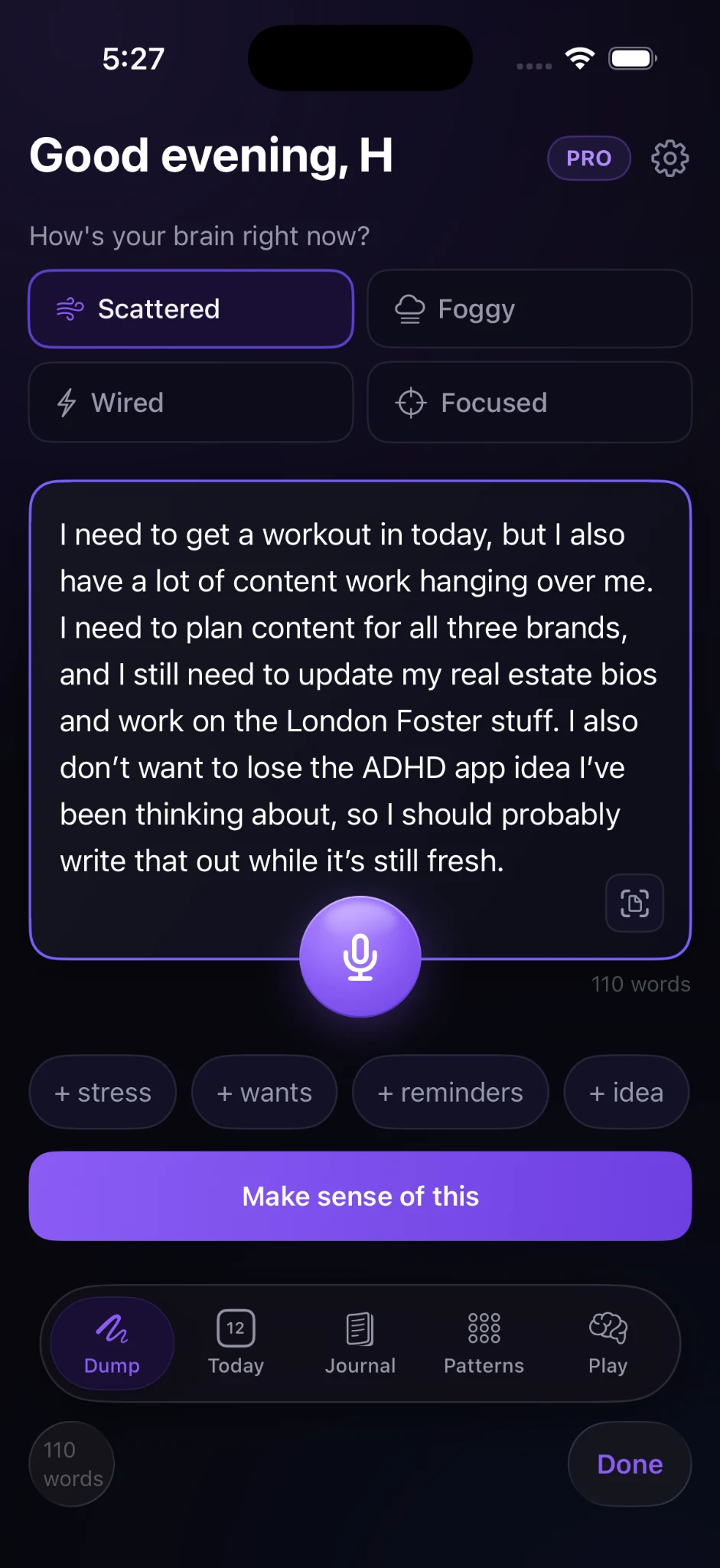
A large, low-friction brain dump gives users room to unload thoughts without formatting them first.
Native iOS · AI-assisted product design
Turning mental clutter into clear next steps.
Bramble is an AI-assisted mental clarity and productivity app designed for people who need help before the to-do list - when ideas, reminders, worries, and half-started tasks are all competing at once.
The problem
Most task managers assume the user already knows what the task is, how important it is, where it belongs, and when it should happen. That is exactly the work an overwhelmed user may be struggling to do.
Add task → choose project → set priority → estimate time → schedule it
Tell me what is in your head.
Product hypothesis
Bramble was designed around a simple principle: capture first, organize second. The experience accepts unstructured thought, interprets the context, and transforms it into something useful without asking the user to pre-organize themselves.
The core experience
The primary product loop is intentionally short: get it out, let Bramble make sense of it, then move directly into action.
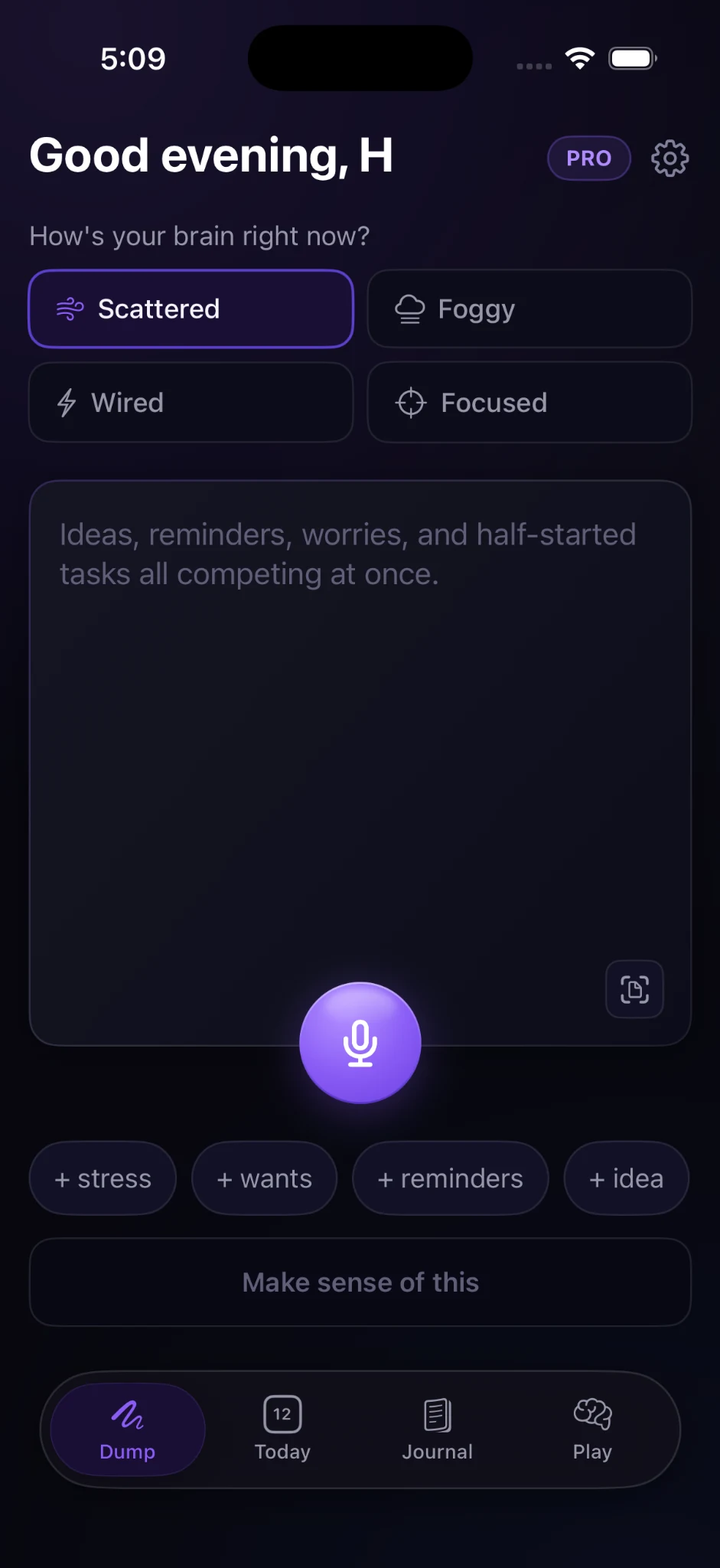
A large, low-friction brain dump gives users room to unload thoughts without formatting them first.
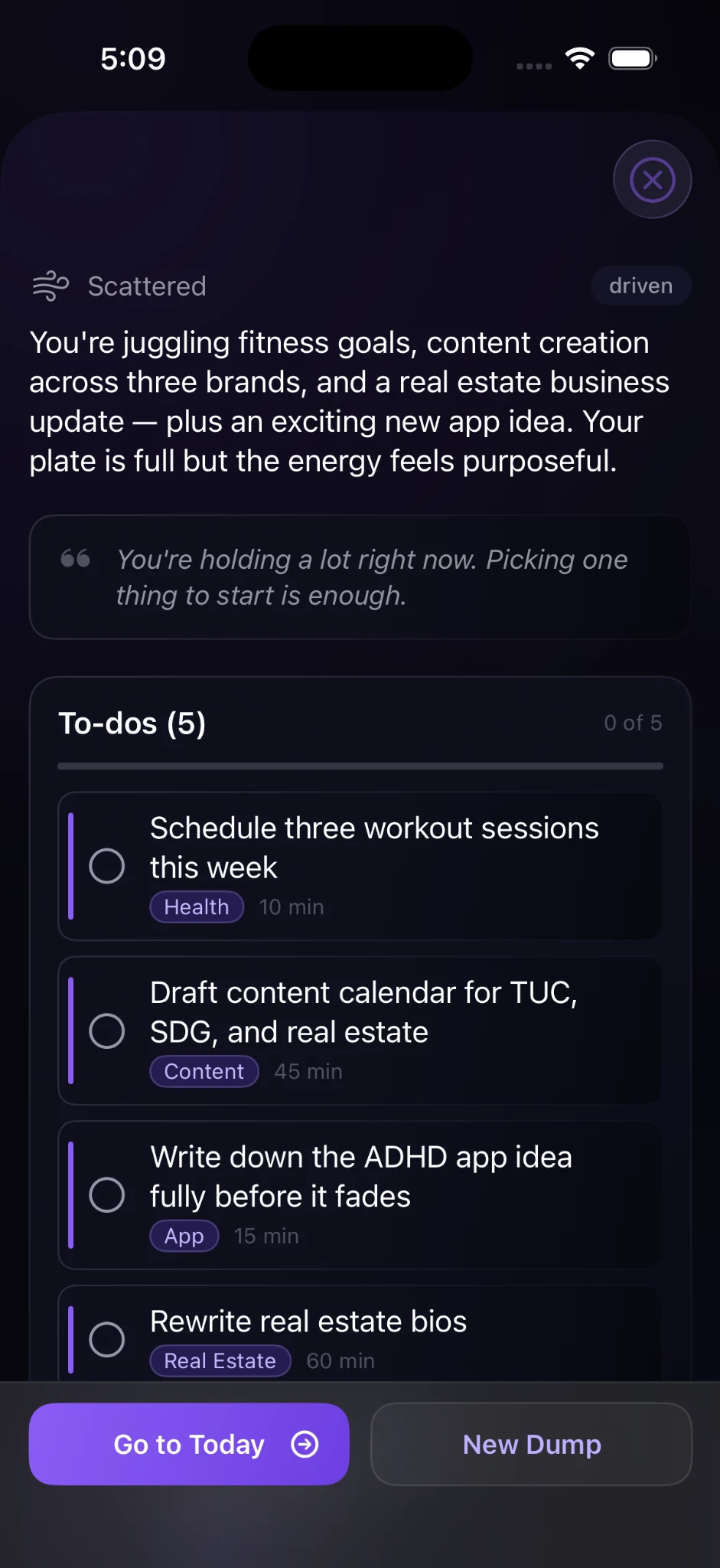
Bramble reflects back the context, then extracts actionable items with categories and estimated effort.
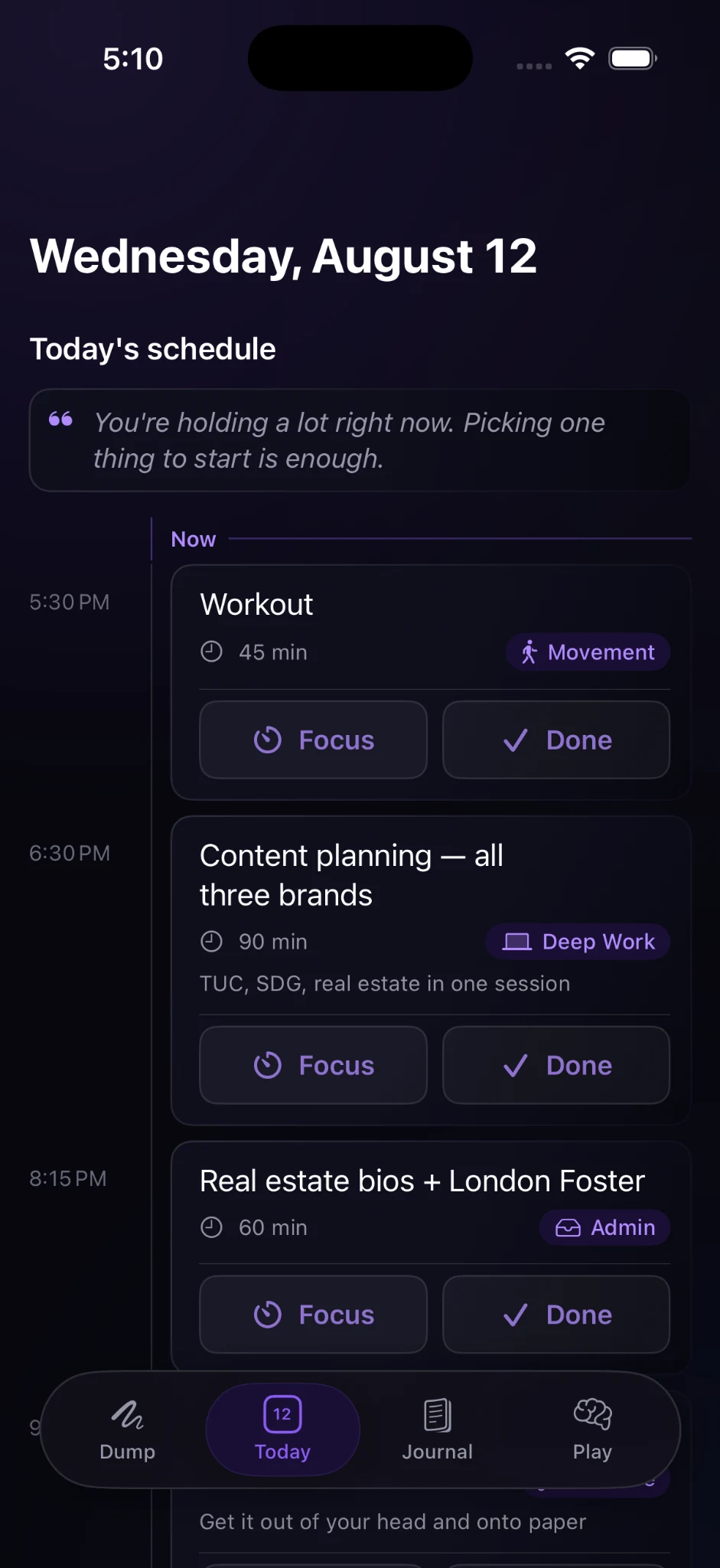
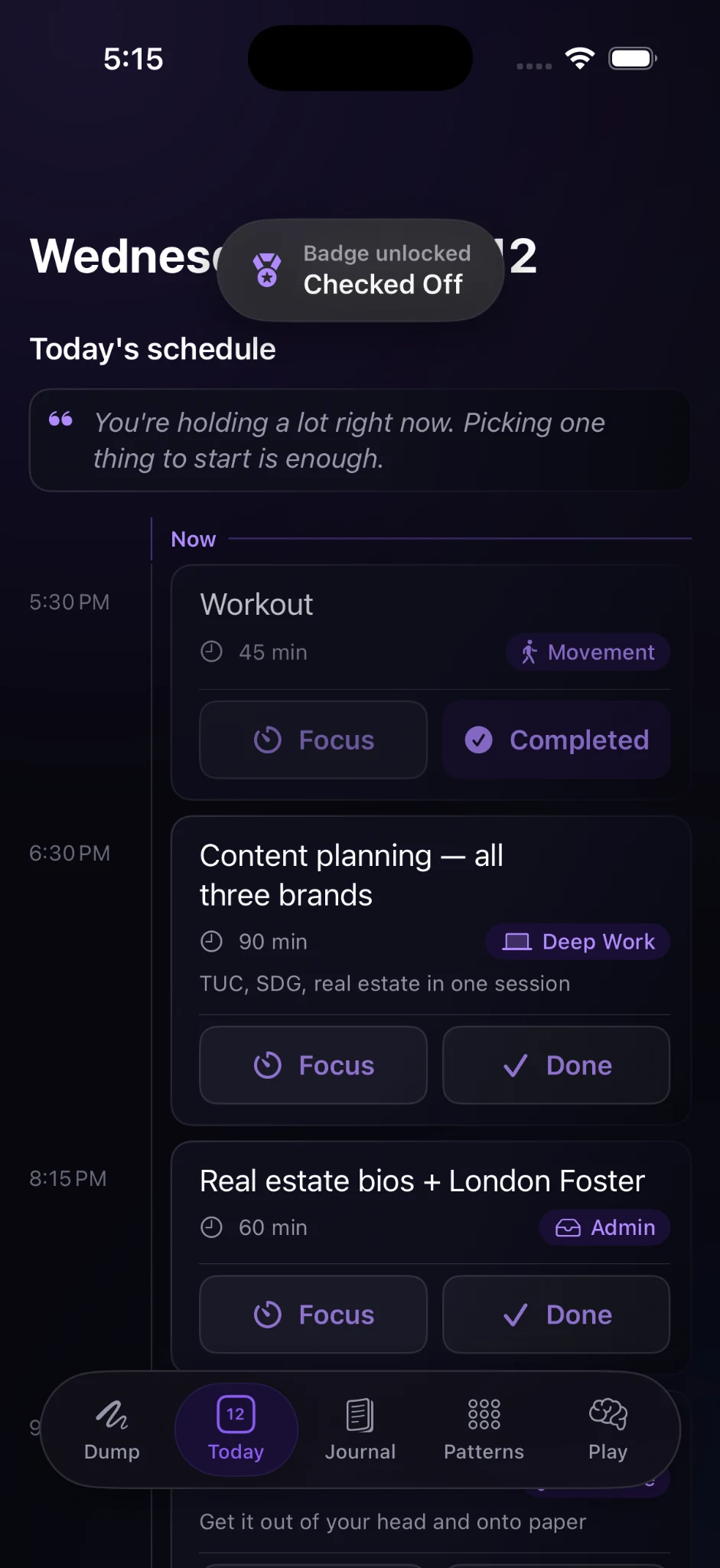
The output becomes a realistic schedule instead of another unsorted task list.
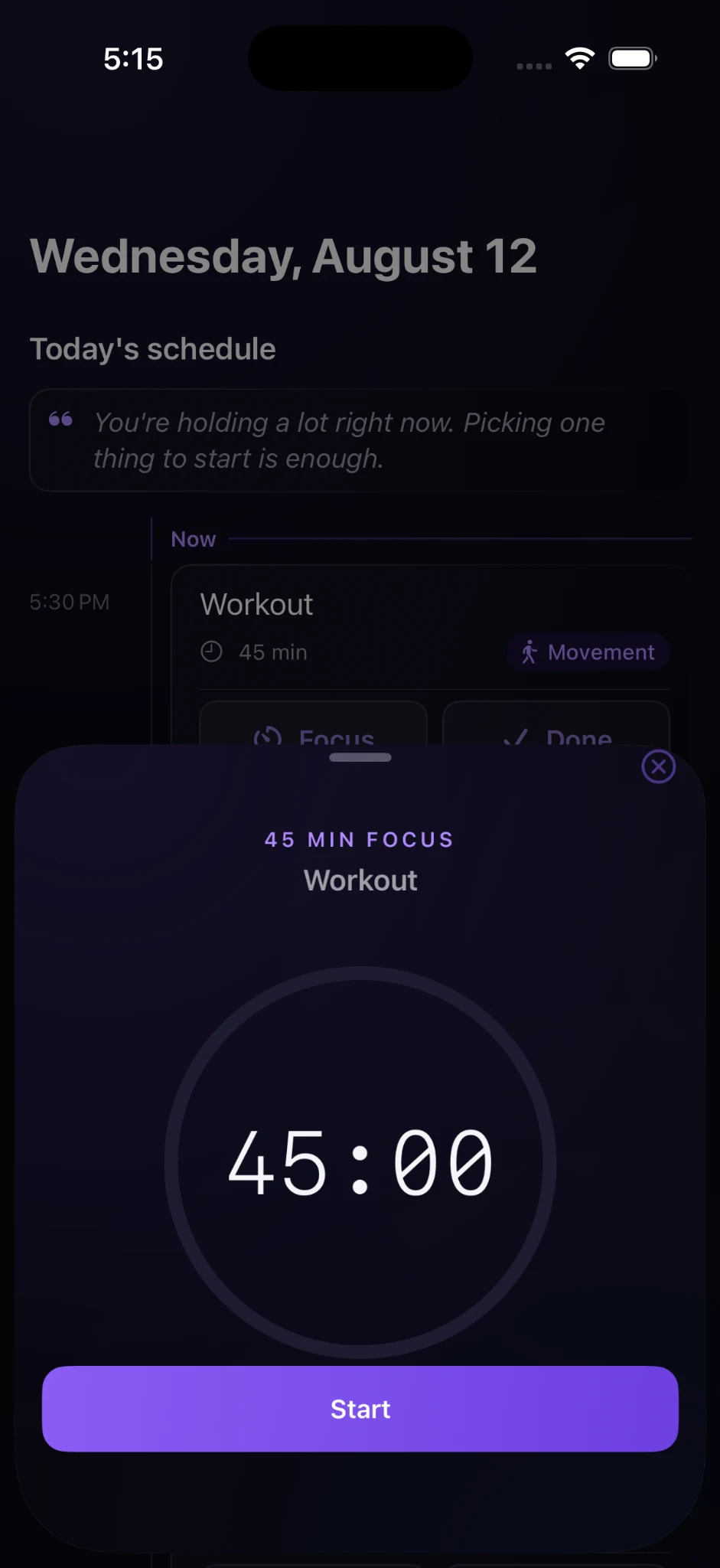
Users can enter a focused session or mark the work complete without leaving the plan.
AI transformation
I did not want Bramble to become another chatbot. The intelligence is embedded in the workflow: users provide natural language, then the system performs the organizational work.
“I need to get a workout in today, but I also have a lot of content work hanging over me…”
Designing for cognitive load
The Dump experience uses multiple low-effort entry points so users can begin with the state they are already in, rather than adapting to a rigid system.
Scattered, foggy, wired, and focused states give the system lightweight context without a long questionnaire.
Type, speak, or scan. The interaction is designed around getting thoughts out quickly, not entering perfect data.
Stress, wants, reminders, and ideas add structure only when it helps - never as a prerequisite to continue.
From intention to action
The Today experience keeps the next action visible and gives every scheduled item two clear choices: focus or done.
Reflection
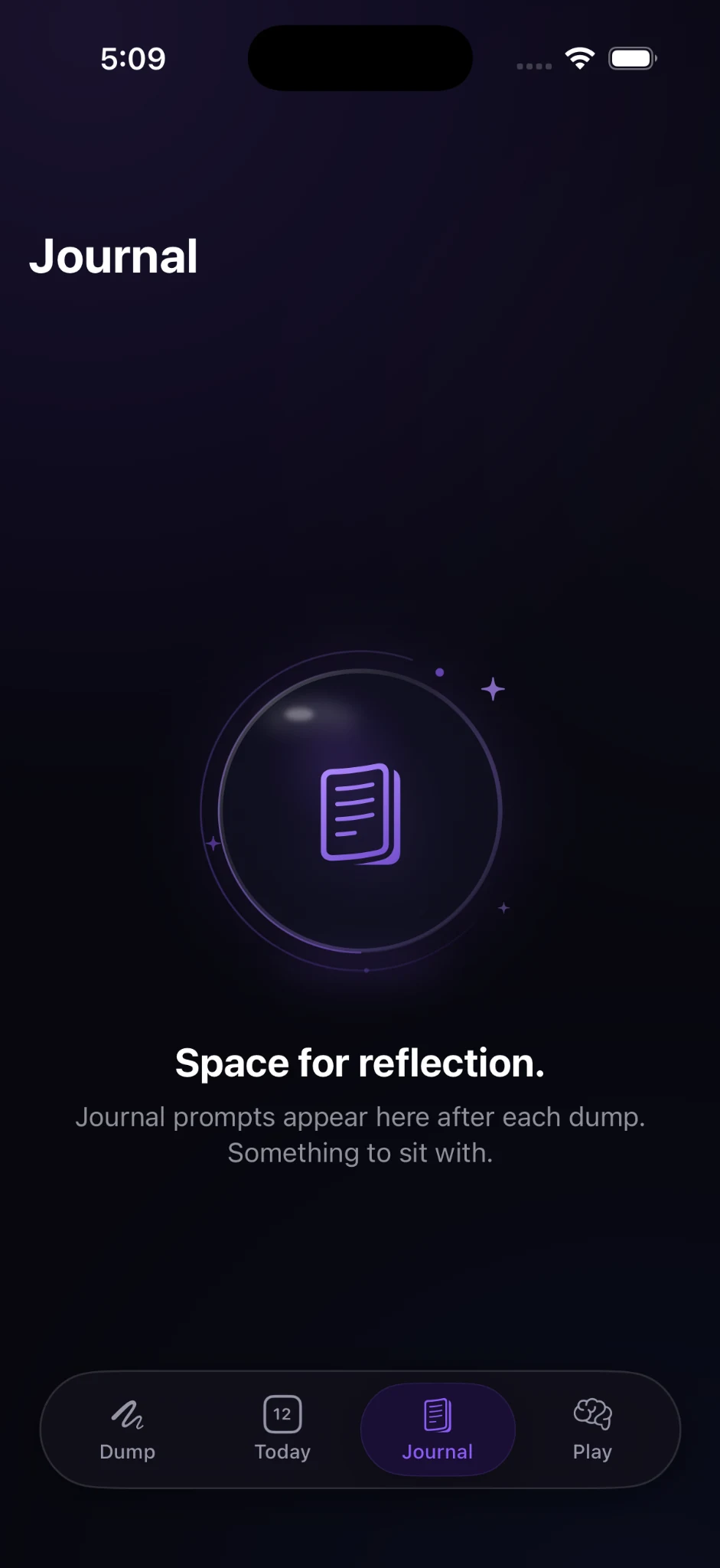
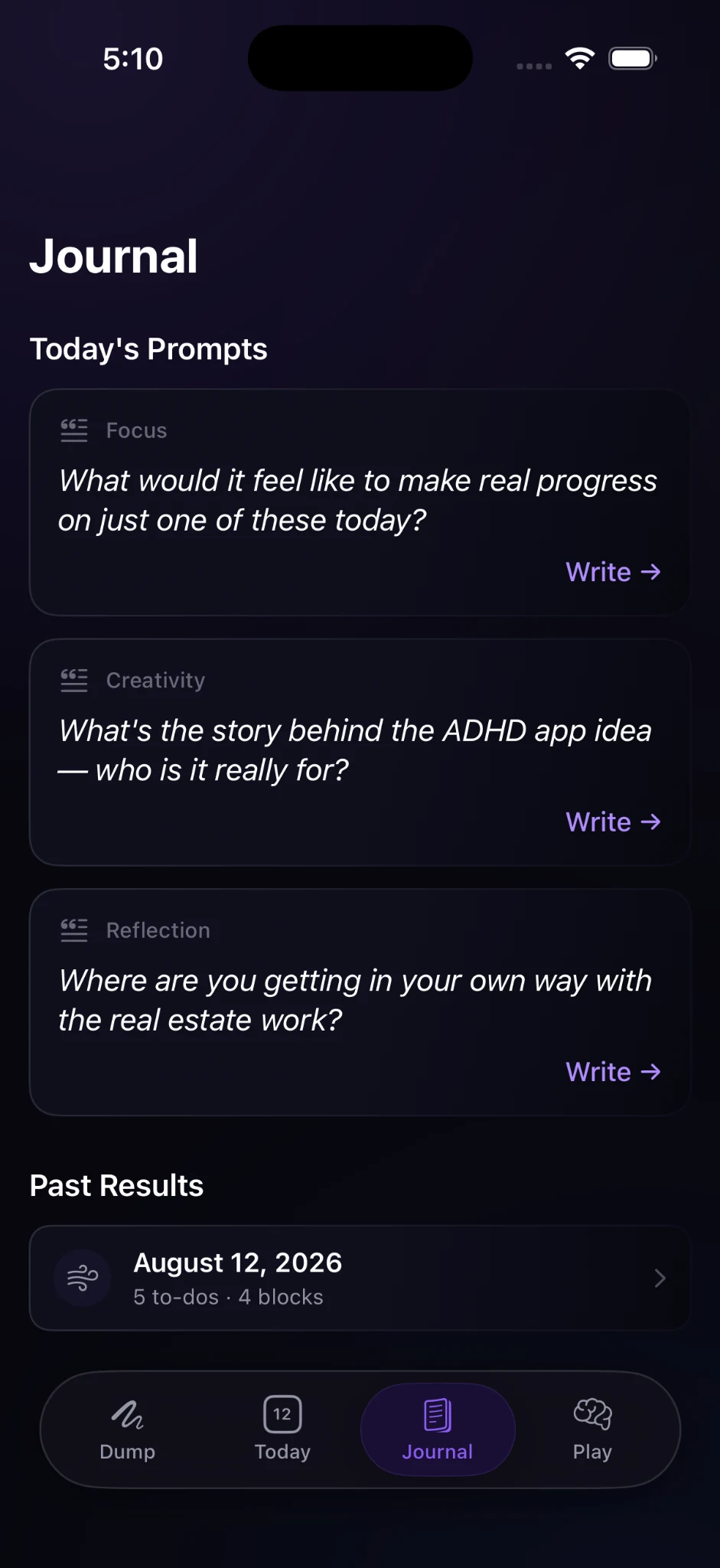
Bramble uses the same dump to generate contextual journal prompts, creating a space for reflection alongside execution.
This prevents the product from treating every concern as something to optimize. Some thoughts need action; others need attention.
Momentum & return behavior
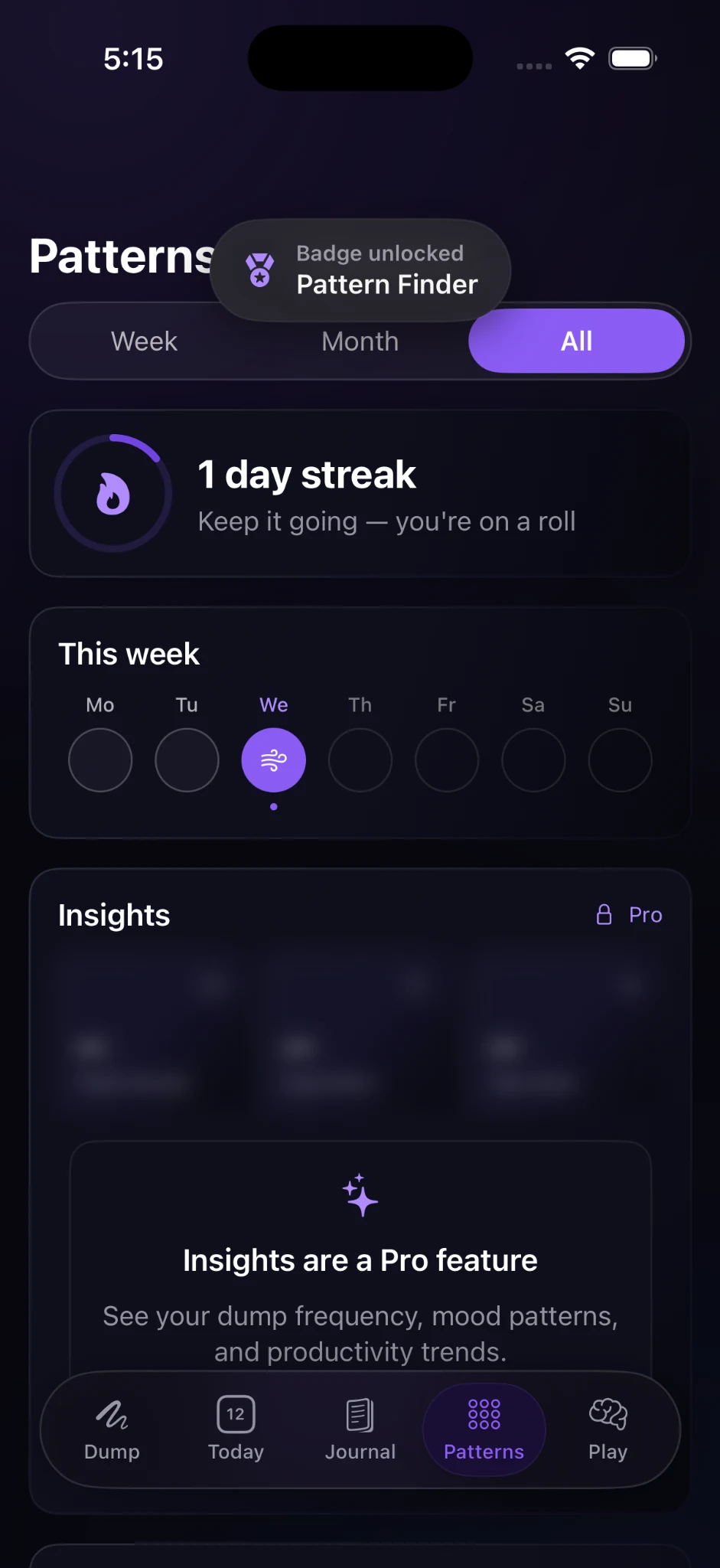
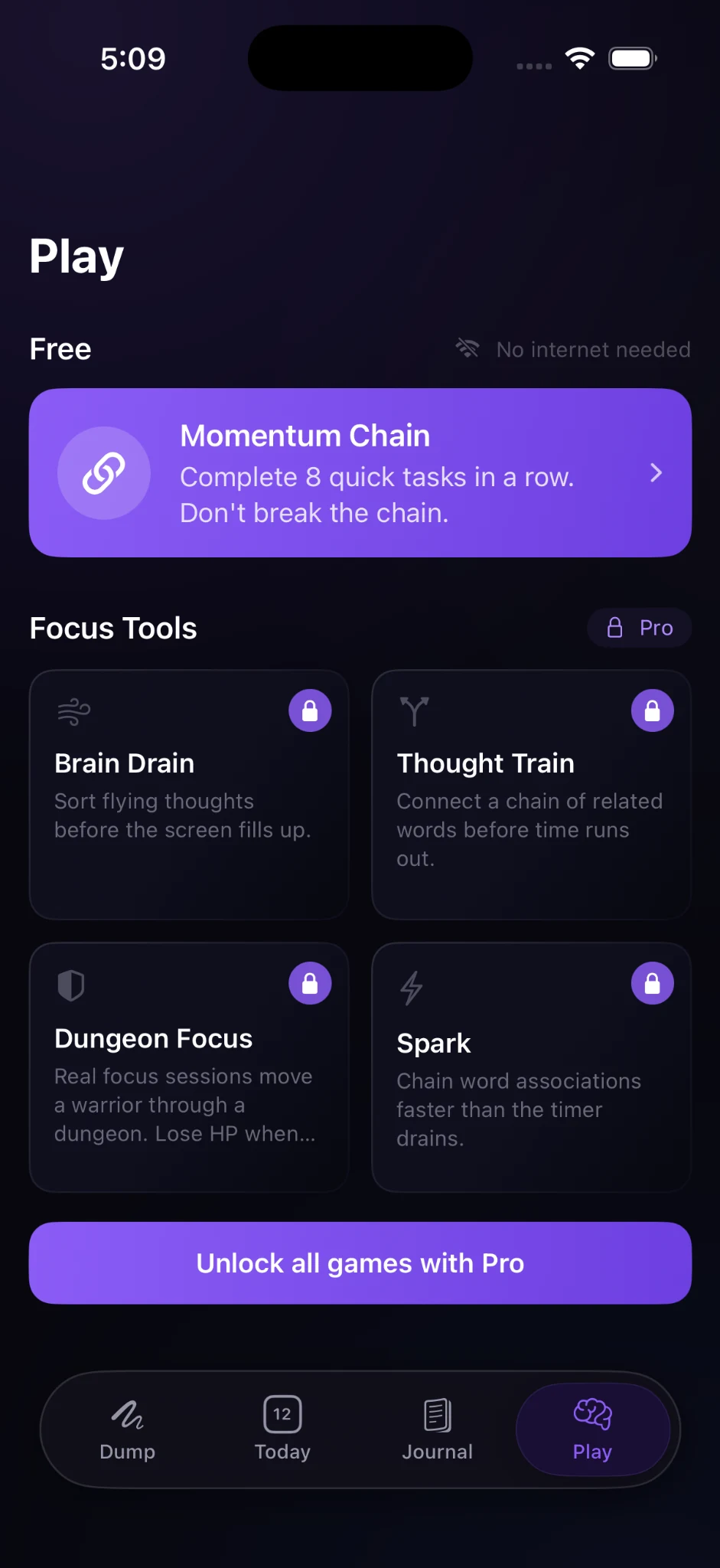
Play introduces short, low-friction focus tools that help users move from stuck to started. Patterns then turns repeated use into a clearer picture of behavior over time.
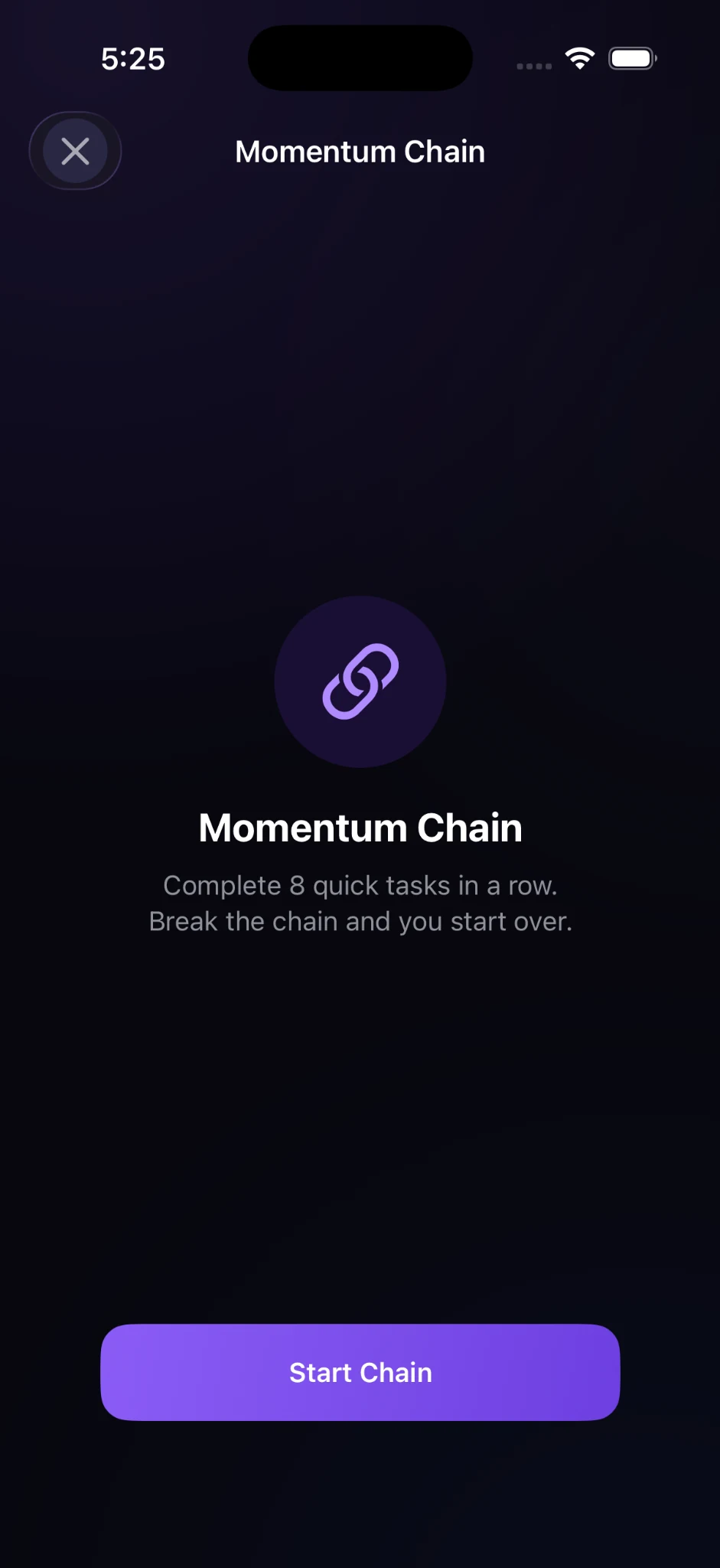
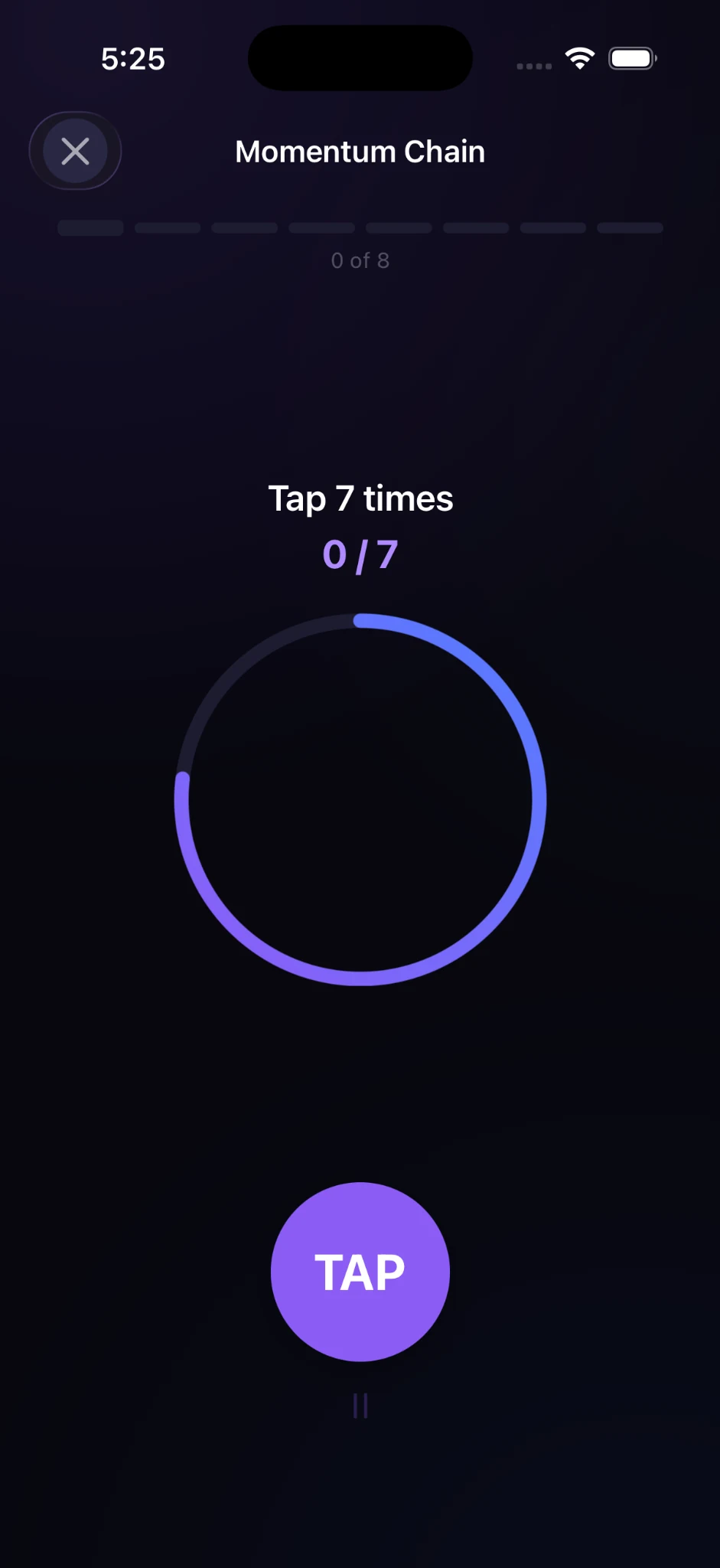
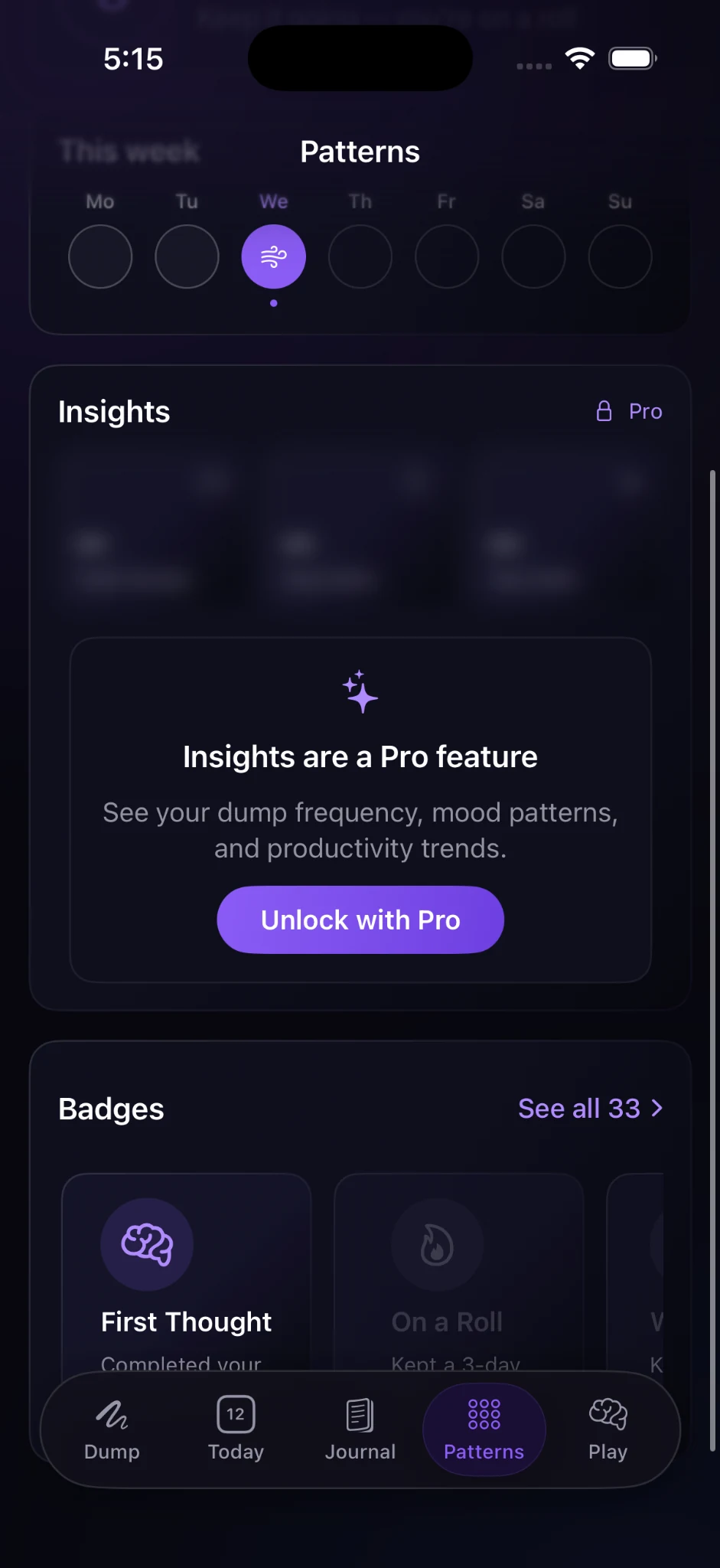
Streaks, badges, weekly history, and Pro insights create a reason to return without making the core brain-dump experience dependent on gamification.
Product & business strategy
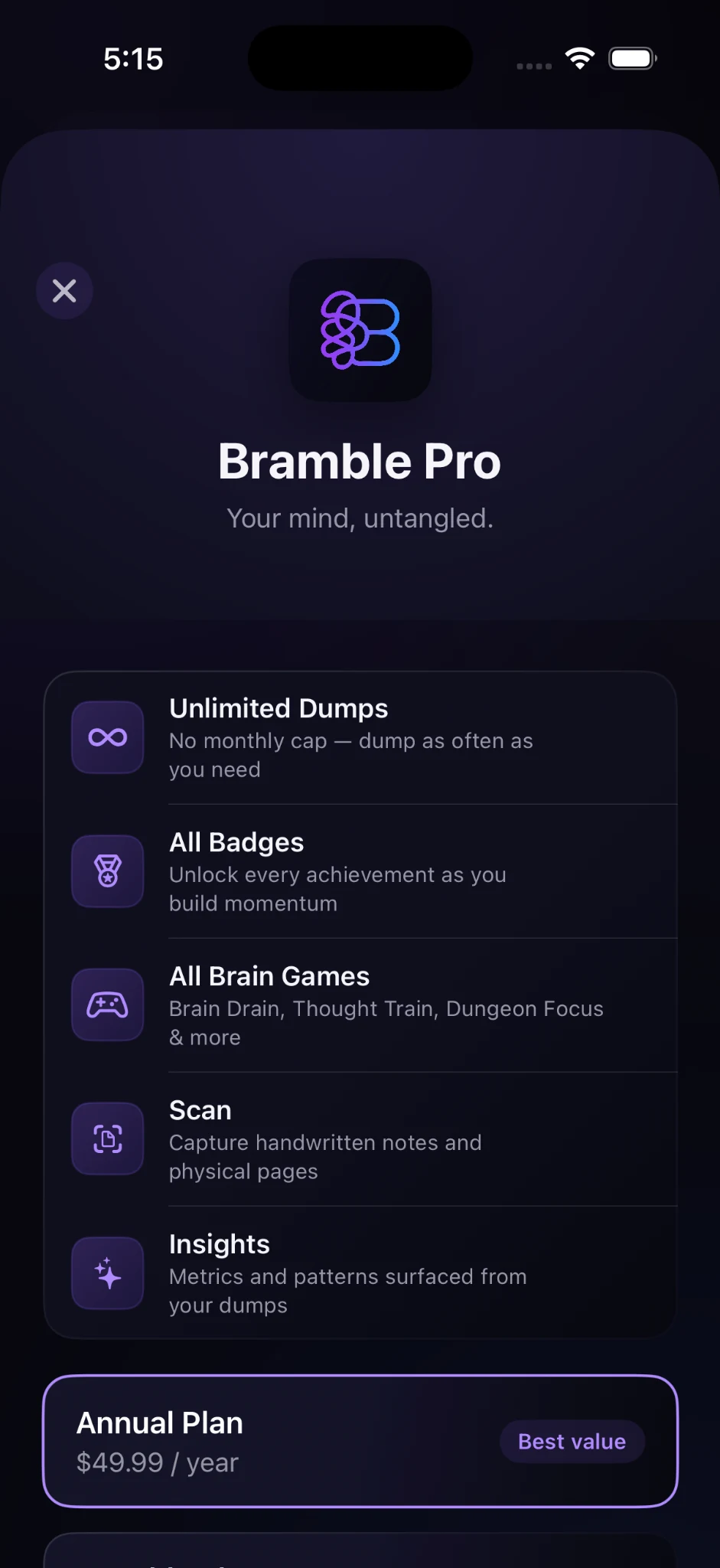
The free experience demonstrates Bramble’s core promise. Pro expands the depth of the product through unlimited dumps, insights, scan, badges, and additional brain games.
The goal was to make the upgrade feel additive rather than holding the first useful moment hostage.
System thinking
Dark tonal surfaces, restrained purple accents, rounded containers, contextual chips, and clear active states establish a consistent visual language across capture, planning, reflection, play, and monetization.
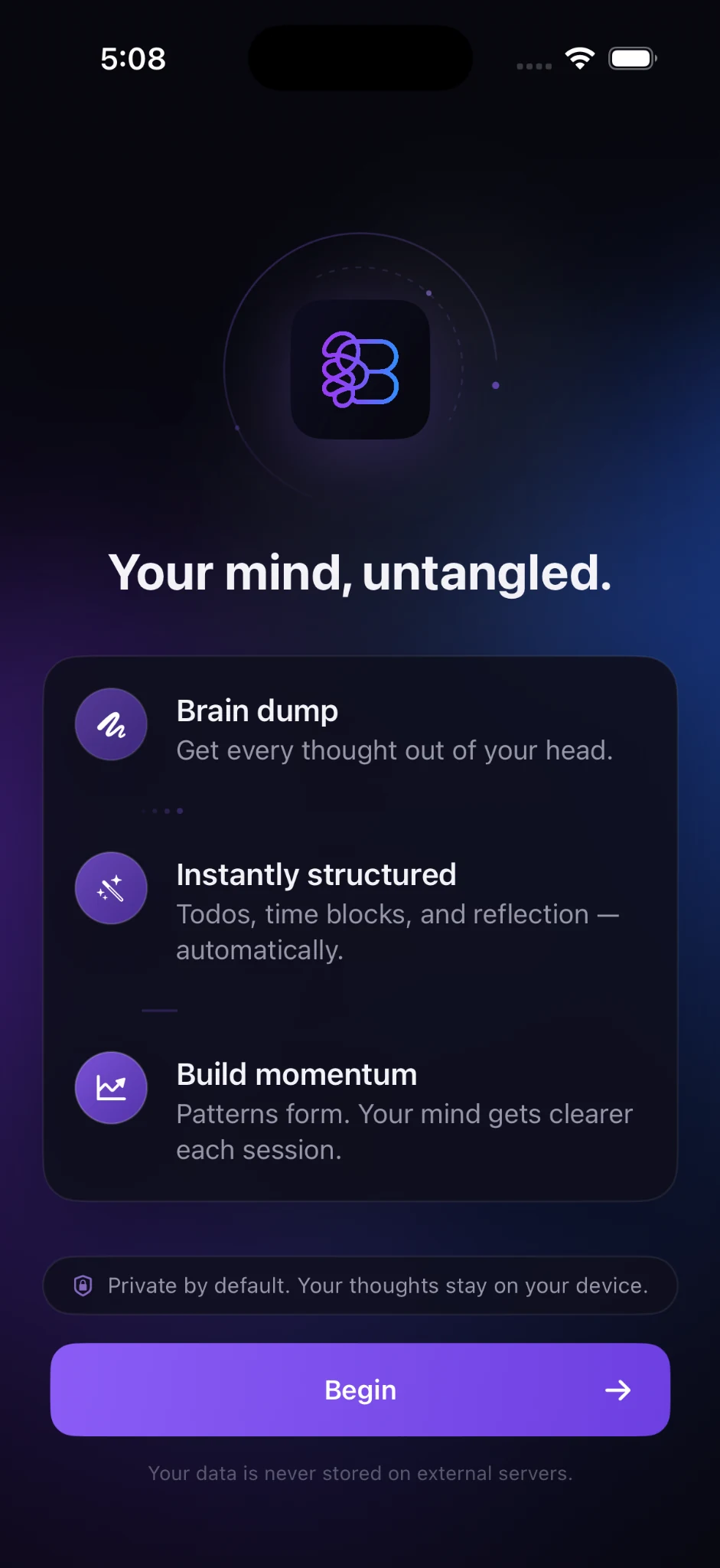
Near-black surfaces, luminous purple, blue-violet gradients, soft borders, and minimal chrome.
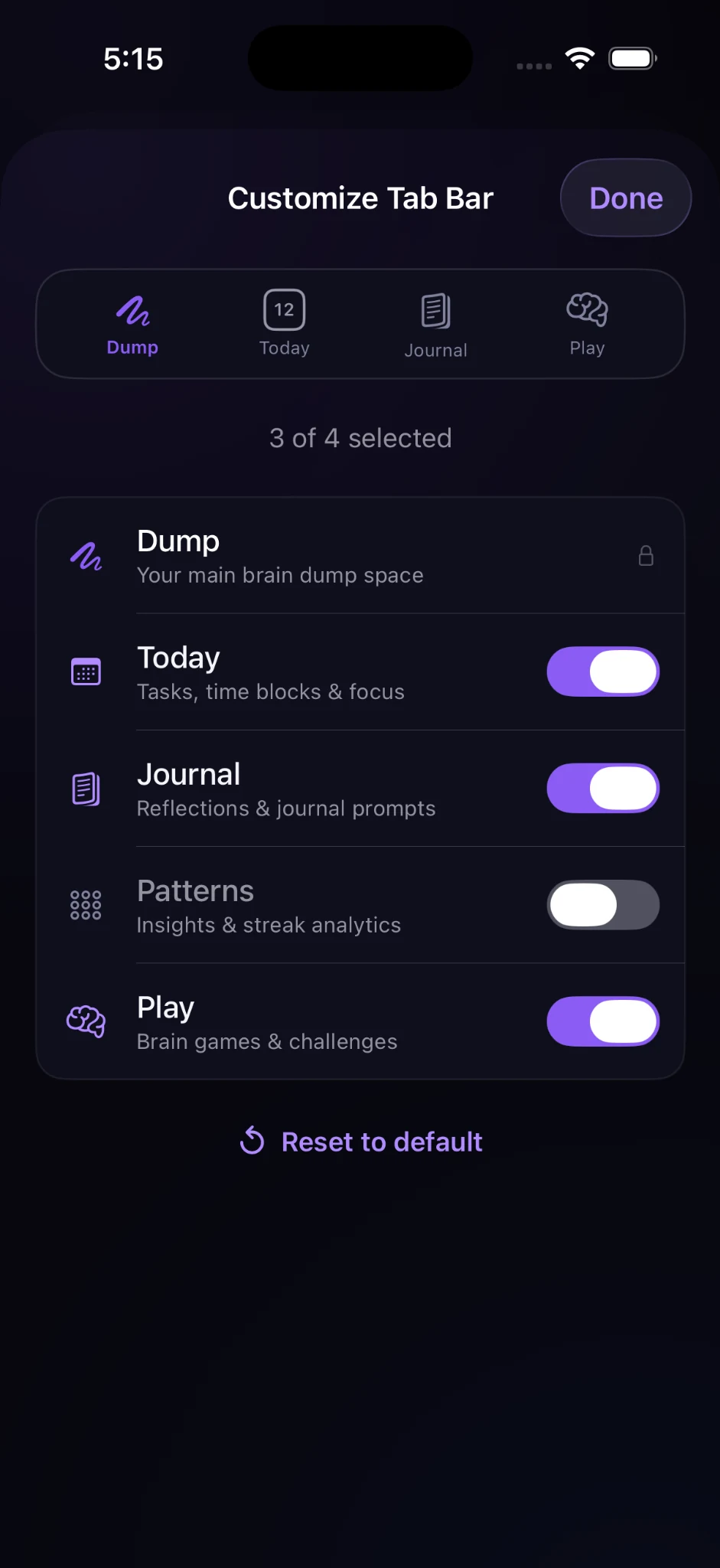
Users can customize the tab bar and expose deeper areas such as Patterns without overloading the default experience.
How I built with AI
I used AI across research, product strategy, design exploration, implementation, debugging, and QA - not as a one-click replacement for design work, but as a way to extend how far I could take the product myself.
Ideation, product strategy, competitive thinking, feature prioritization, information architecture, UX flows, microcopy, edge cases, and critique.
Product design, interaction patterns, visual direction, component thinking, and interface refinement.
Translated product requirements into implementation, iterated on native iOS features, debugged issues, and refined behavior.
Worked directly with the codebase, reviewed changes, managed implementation details, and validated fixes.
Tested interaction states, navigation, visual fidelity, edge cases, and production readiness in the actual iOS environment.
Current state
Bramble now has a defined product proposition, end-to-end core loop, monetization model, reusable interaction patterns, and a functioning iOS build.